
Paperless-ngx 3.x has AI built in. Turn it on in Configuration > AI Settings, point it at any OpenAI-compatible API, and it suggests titles, tags, correspondents and document types. In our test, 100 documents cost about 3 cents.
For years the top request in the Paperless-ngx discussions was "let ChatGPT tag my documents" (#2900, 222 upvotes). It's now part of the app. We tested it on v3.3.0 with 100 fake documents: invoices, bills, payslips, insurance and tax letters, and 10 German invoices.
Turn it on
- Sign in as admin and open Configuration > AI Settings.
- Switch on AI Enabled. For OpenRouter, choose
openai-likeas the LLM Backend, enterhttps://openrouter.ai/api/v1as the endpoint andqwen/qwen3.7-flashas the model, and paste your key. Set the embedding backend toopenai-likewithopenai/text-embedding-3-small; it reuses the same key and powers chat. - Save. No restart needed. Paperless builds its search index for chat right away; for 100 documents it took 38 seconds.
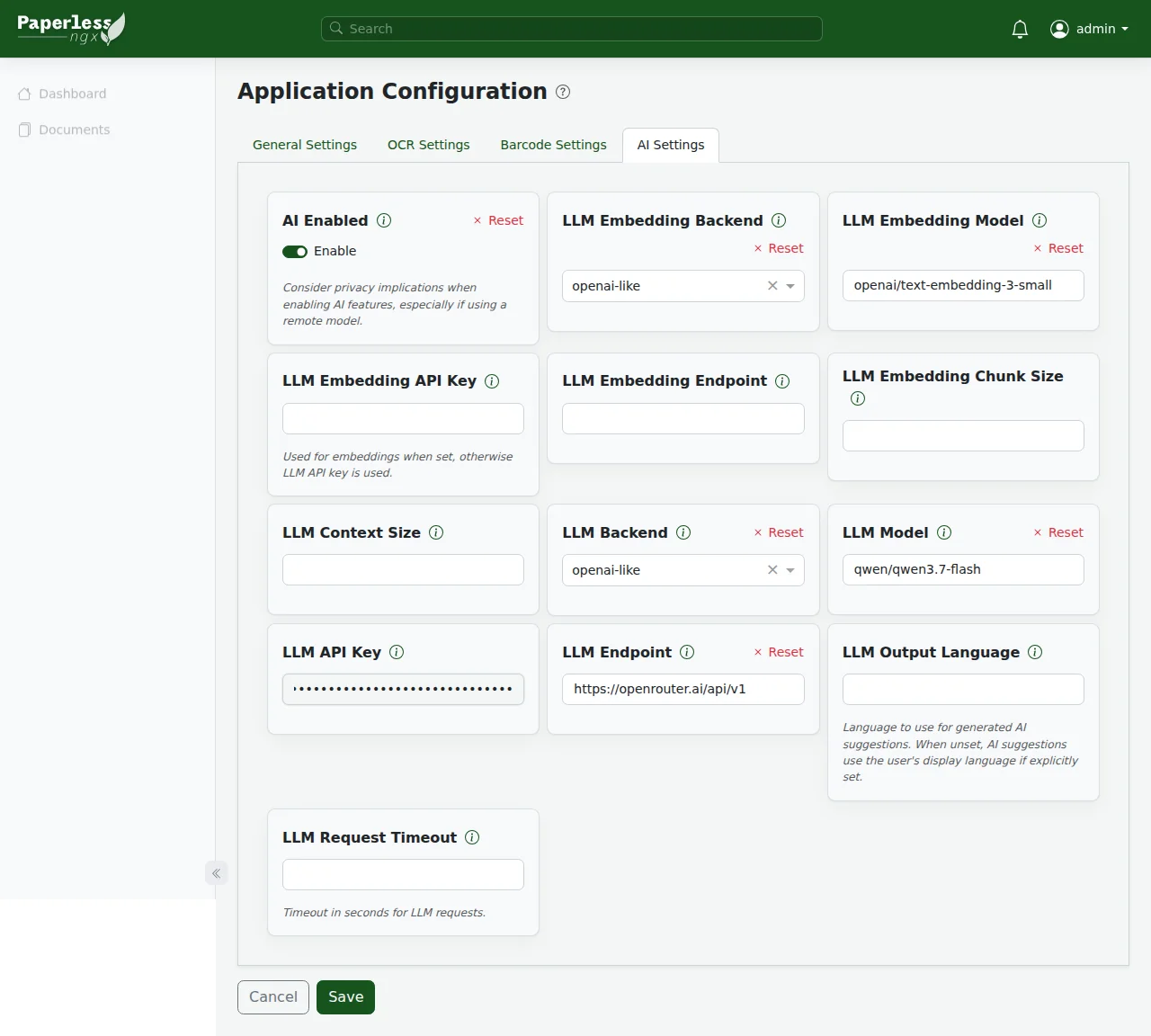
Then open any document and click Suggest. The document's text goes to your provider, so pick one you trust with payslips and bank letters.
What we measured
We used qwen/qwen3.7-flash because it is one of the cheapest models that supports tool calls, which Paperless needs. It did well. The weak spots below come from how Paperless works, not from the model.
- Cost: about $0.026 for 100 documents, including the chat index, or $0.0003 each, with a cheap model.
- Quality: 99 of 100 titles were usable, 99 had the right correspondent, 93 had a sensible document type. The few misses were insurance and tax letters.
- Speed: about 17 seconds per fresh suggestion.
- Chat: good for one document ("What's the total and when is it due?" was right). Across many documents it's unreliable, because Paperless gives the model only a handful of matching documents per question: asked for all insurance policies, it found 5 of 8, and it picked the wrong "most recent" payslip.
Three things to know first
- It invents tags. On a fresh install it suggested 66 different tags for 100 documents. Create a small tag set first, and in workflows turn off "Create missing items".
- German documents got English suggestions. This is the known #12887; upstream closed it as by design, because suggestions follow the interface language. We saw it on 9 of 10 German invoices. Fix it by setting your display language explicitly (Settings > General), which switches the whole interface to that language, or set LLM Output Language in AI Settings. The second option also gives English documents German suggestions. With either fix, a suggestion took about 30 seconds.
- Any admin can read your key. The page masks it, but the API returns it in plain text.
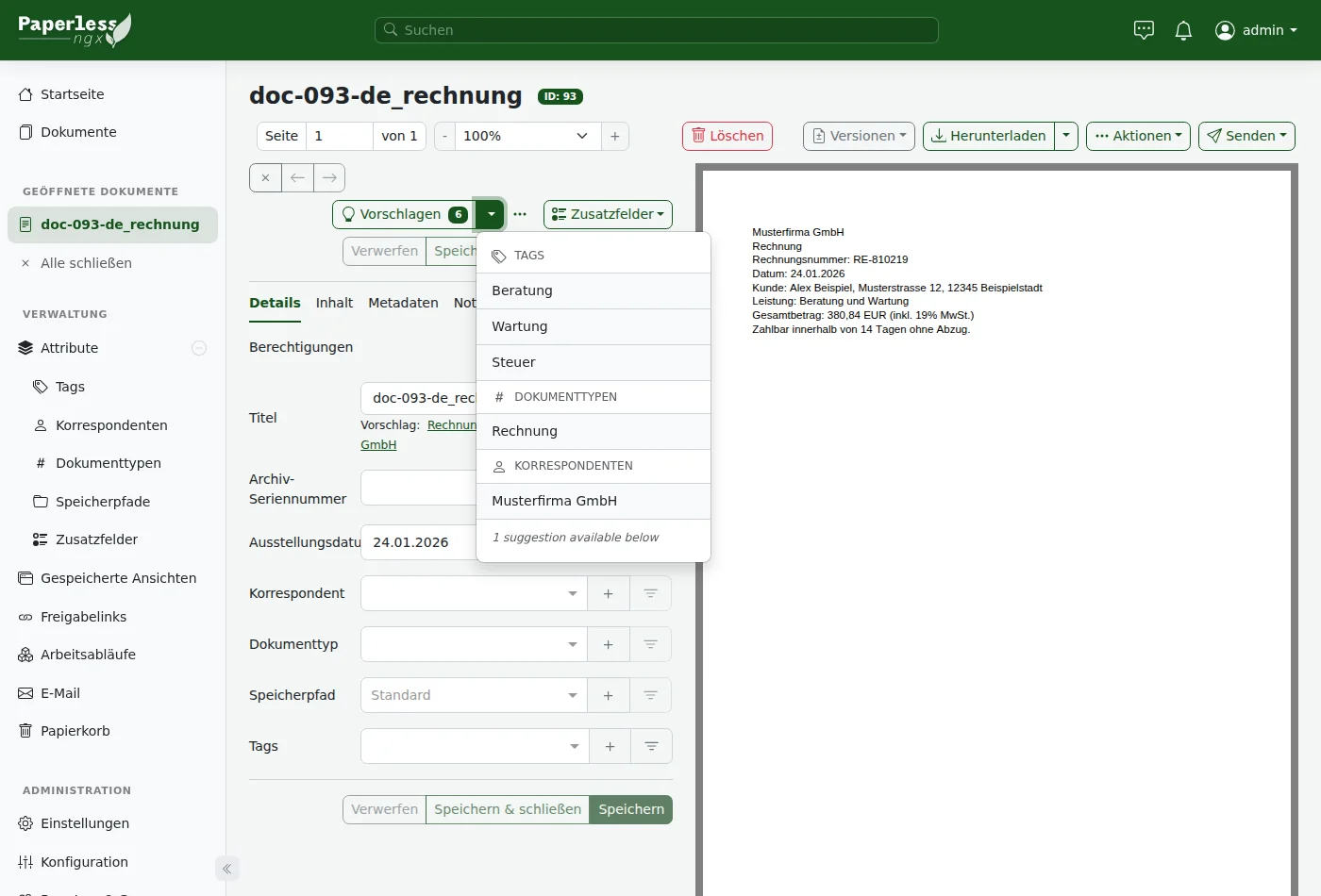
Tag new documents automatically
Suggestions don't apply themselves. Add a workflow with the trigger Document Added and the action Apply AI suggestions. In our test, 3 new documents got a correspondent, type and tags within two minutes. Titles stayed unchanged until we turned on "Overwrite existing values". To tag old documents, use a Scheduled trigger with the same action. Try it on a few documents first: each one is a paid call.
Can it run locally with Ollama?
Not on a 2 GB machine. Paperless alone used up to 1.35 GB with AI on. The smallest local model we tried needed another gigabyte, generated about 6 tokens a second and gave poor tags. You need about 8 GB of RAM, or Ollama on another computer.
Or let an AI agent set it up
On Podway, Paperless-ngx runs on its own machine with an AI agent that uses your own Claude or ChatGPT plan. If you'd rather skip the settings page, add your model key in the Secrets tab and ask the agent to turn on AI and tag new documents. It fills in AI Settings and creates the workflow for you. Start Paperless-ngx.