Listmonk can't do it on its own yet. The fix is a job that runs every 5 minutes, finds new subscribers, and sends each one a welcome email through Listmonk's POST /api/tx.
The maintainer has said he won't add a one-off "welcome email" feature. He wants a general events system first, and that may slip to v7.1 (issue #206, the most-upvoted request in the repo). You need three things: a transactional template, an API user, and a scheduled job. We tested everything below on Listmonk v6.2.
The setup
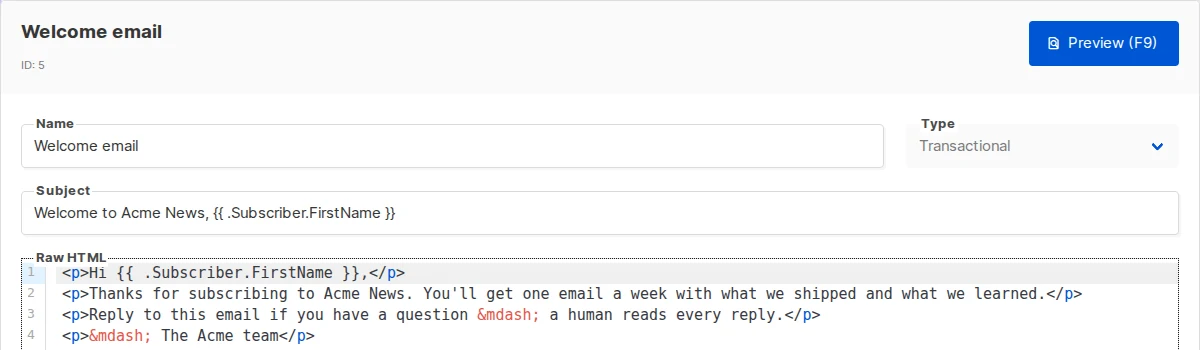
- Make a transactional template. Go to Campaigns > Templates and create one with type Transactional. It needs a subject, and
{{ .Subscriber.FirstName }}works in both the subject and the body.
- Make an API user just for this. Give its role
subscribers:get_all,subscribers:manageandtx:send. Also give it a list role withlist:getandlist:manageon your list. Without the list role, the step that marks someone as welcomed fails with a 403.
- Run a job every 5 minutes. It makes three calls: get the list's newest subscribers, send
POST /api/txwithsubscriber_idsand your template ID to everyone not yet welcomed, thenPATCHtheir attributes with{"welcomed": "<date>"}so nobody gets it twice. Start from a fixed date so the first run skips your existing list.
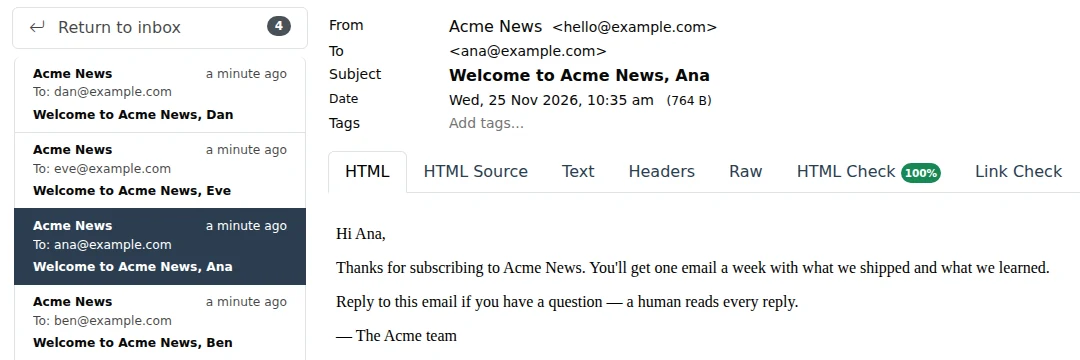
In our test, the slowest welcome arrived 4 minutes 58 seconds after sign-up, and restarting Listmonk sent no duplicates.
Four things that quietly break it
- Single opt-in sign-ups stay "unconfirmed". On a single opt-in list, form sign-ups never become "confirmed". A job that only welcomes confirmed people welcomed 0 of our 8 test sign-ups. Filter on list subscription status "not unsubscribed" instead.
- PUT instead of PATCH. PUT replaces the whole subscriber and drops their list subscriptions. PATCH only adds the attribute.
- A key with an underscore. We first used
welcomed_at. Saving that subscriber in the admin screen stored it aswelcomedAt, and the next run welcomed them again. A one-word key likewelcomedis safe. - Blocklisted subscribers. Listmonk sends transactional email to them anyway, so the job has to skip them.
The unsubscribe link
{{ UnsubscribeURL }} doesn't exist in transactional templates: the template won't even save. RootURL is missing too, so write your Listmonk address out in full. Two hand-made links work:
https://your-listmonk/subscription/<any campaign uuid>/{{ .Subscriber.UUID }}?manage=trueopens the subscriber's preferences page.- Make a draft campaign for that list and never send it.
https://your-listmonk/subscription/<draft campaign uuid>/{{ .Subscriber.UUID }}(no?manage=true) opens a page where the subscriber clicks one button to unsubscribe.
A made-up campaign UUID shows "You have unsubscribed successfully" but changes nothing. Transactional emails also have no List-Unsubscribe header, which Gmail and Yahoo check for bulk senders. Add one in the headers field of POST /api/tx.
Or let an AI agent set it up
If you'd rather not build and babysit this job, Listmonk on Podway has an AI agent on the same machine, using your own Claude or Codex plan. Tell it which list should get the welcome email. It creates the template, the API user and both roles, then writes and schedules the job. Start Listmonk.